
CureViz › Video calls inside the tour
Video calls inside the tour
The call opens inside the tour; no Zoom or separate app is needed.
- Call request
- Call
- Tour together
- Draw on screen
- Logged
No separate app needed
Video calls are built into CureViz. The buyer sends a call request with one tap from the project page, or the rep creates a link and sends it over WhatsApp. There’s nothing to download and no account to create; the call opens in the browser.
Tour the project together
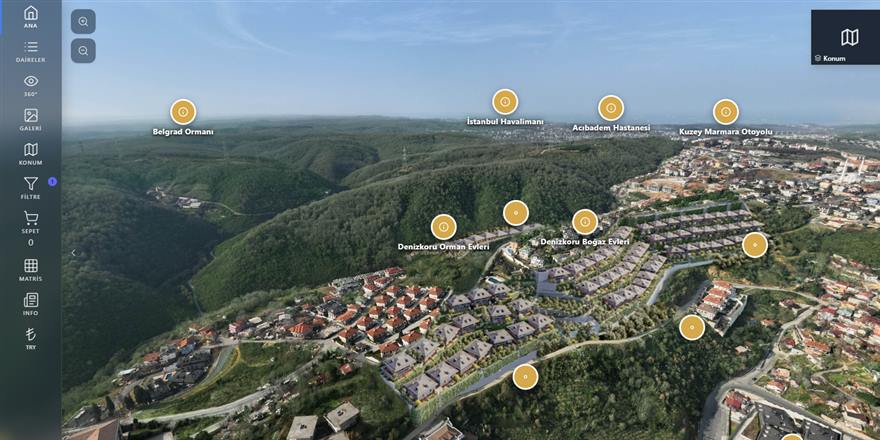
The call window stays in the corner of the screen while you keep navigating the project: facade, unit, interior, location. You can share your screen and draw on it to mark what you want the buyer to see.
Presenting to a buyer in another city
For a buyer in another city or abroad, you give the same presentation as in the office. On a phone, you can also show live footage from the construction site with the rear camera.
Every call is recorded
The call’s customer, rep, date and duration are logged. In reports, you see the total and average call duration for the period.
New platform data, January – October 23, 2026. CureViz has been in use since 2015.
Frequently asked questions
Does the buyer need to install anything?
No. The call opens in the browser and works on phone, tablet and computer.
Who starts the call?
Either can. The rep creates and sends a link, or the buyer sends a call request from the project page; the request lands on the rep’s screen.
Is there a call time limit?
The default is 30 minutes; the company admin can set anywhere from 5 to 120 minutes.
Other solutions: Homes and villas · Timeshare · Commercial · Land plots · 360° virtual tour · Real estate CRM · Online offers · Location and discovery · Flexible payment plans · Agency management · Reporting · Devices and languages · CRM integration
See CureViz with your own project.
In a short demo, we’ll show how your sales office would run on CureViz.